How to transfer funds between two payment accounts?

It may happen that you may need to transfer funds between two accounts on your platform (transfer error, uncollected commission, refund...).
1. Transfers from the manager's account :
If you wish to transfer funds from the manager account to a user on your platform, you have a button called "transfer between two accounts" in the manager's account, cash flow page.

To initiate a new transfer, click on "New Transfer".
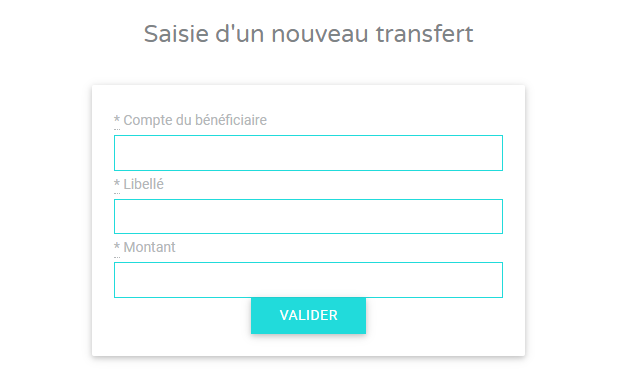
In "Recipient's account ", enter the user ID to whom you wish to transfer the funds. You will find this ID in the URL of the concerned account

Enter a wording in order to keep a record of the transaction in both payment account (yours and the user's). For example: "refund success fee - project XXX".
Enter the amount of the contribution
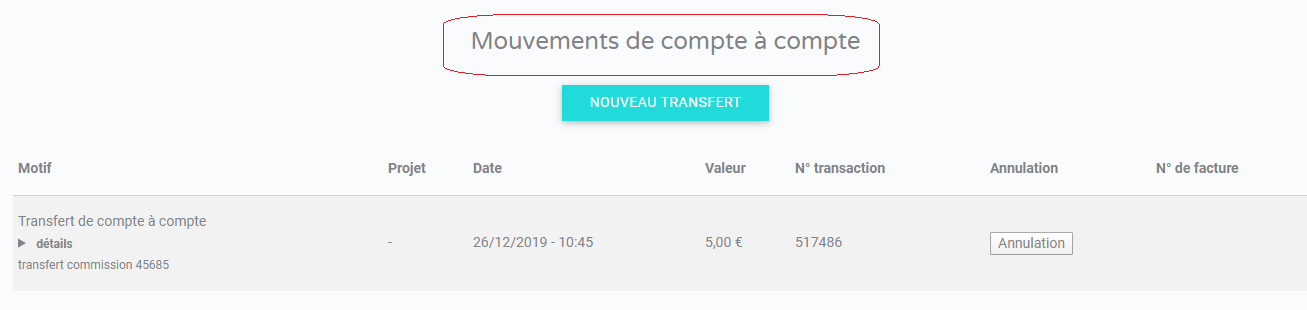
Once the transfer completed, the following is shown in the cash flows:

You can undo it by clicking on the Cancel button, this will immediately re-credit the funds to your payment account (provided that the user account is still credited).
Note: a commission between transfers is charged at a rate of 3.6% (including tax) of the amount.
You have a list of all the transfers that have already been made, by clicking on the "transfer between two accounts" button in the cash flow of the manager's account.
2. Transfers from a user's account :
If you wish to transfer funds from one user account to another account (e.g. the manager account) you must contact support@mipise.com requesting this transfer explicitly in the format :
ID and email of the account to be debited
ID and email of the account to be credited
Amount of the transfer
Reason
Note: this type of transfer will be charged on your credit assistance 04h00. It takes at least 15 minutes of work-time (depending on the complexity of the requested operation) to make such a request.
Comments
0 comments
Article is closed for comments.